 cloudstream
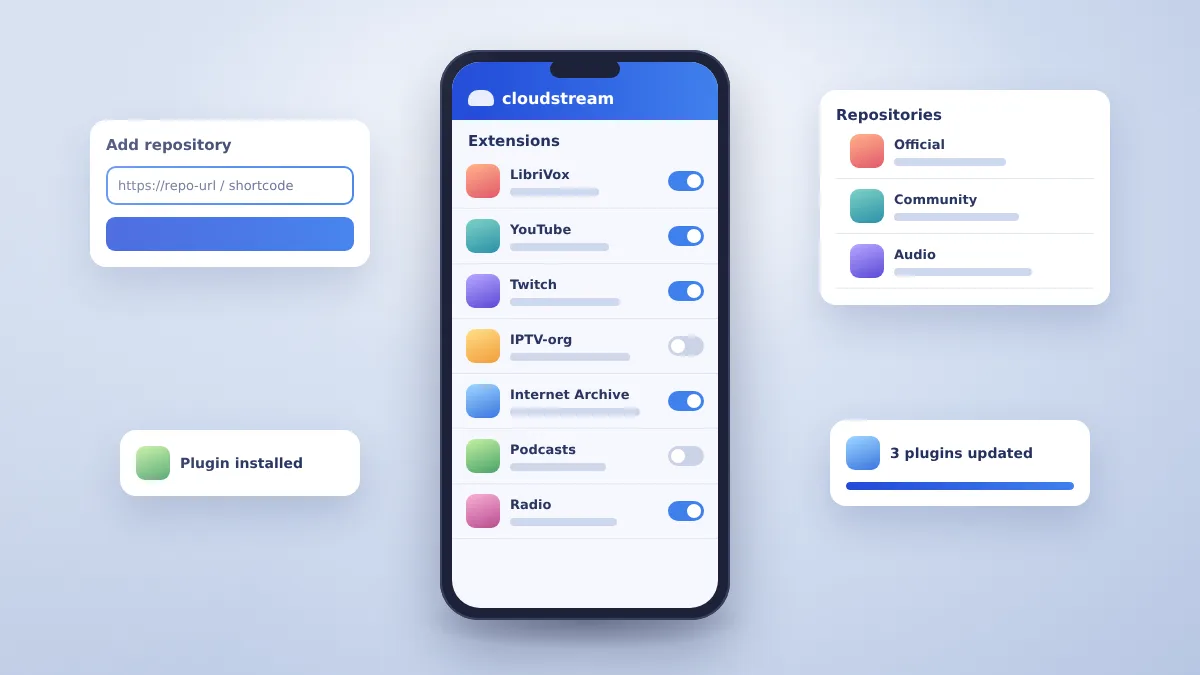
The feature that most clearly defines cloudstream is its extension system. Out of the box, the application is an empty but well-designed shell: a player, a library and a search interface waiting for sources. Repositories and plugins fill that shell with content. Understanding how they work turns cloudstream from a puzzling blank screen into a flexible media centre shaped around your own preferences.
This guide explains the terminology, walks through adding and managing repositories, and offers practical advice on choosing extensions responsibly.
The Building Blocks: Plugins and Repositories
A plugin, often called an extension or provider, is a small module that teaches cloudstream how to communicate with one particular source. A plugin might connect to an audiobook archive, a video platform, a collection of public television channels or a media server you run at home. When you search or browse, cloudstream asks each active plugin for results and presents them in a single, consistent interface.
A repository is simply a published list of plugins. It is hosted online, typically on GitHub, and contains information about each plugin: its name, version, supported languages and the location of its files. Adding a repository does not install anything by itself; it gives you a catalogue from which you choose individual plugins.
This separation is deliberate. The cloudstream maintainers develop the application, while plugins are written and maintained by a wide community. The core project neither hosts content nor moderates third-party plugins, which keeps the application itself neutral and allows the ecosystem to evolve quickly.
How to Add a Repository
- Open cloudstream and go to Settings.
- Select Extensions. Any repositories you have already added appear here.
- Choose Add repository.
- Enter the repository URL, or a shortcode if the repository publishes one.
- Confirm. cloudstream fetches the list and displays the repository with its plugin count.
Shortcodes are short, memorable aliases that resolve to a full repository address. They exist purely for convenience, particularly on television remotes where typing a long URL is tedious. Both methods produce exactly the same result.
Installing, Updating and Removing Plugins
Open a repository to see its plugins. Each entry shows the plugin's name, language, version and status. Selecting the download icon installs the plugin in seconds, and it becomes active immediately. You can install as many or as few as you like.
cloudstream checks for plugin updates automatically at start-up. Updates matter more than they might for ordinary applications, because plugins depend on external websites and services that change their structure from time to time. When a source changes, plugin authors release a fix, and updating restores normal behaviour. You can also trigger a manual update check from the Extensions screen.
To remove a plugin, open the repository and select the delete icon beside it. To remove an entire repository and all its plugins, use the delete option on the repository itself. Pruning plugins you no longer use keeps search results tidy and start-up quick.
Lawful Extensions Worth Knowing
The official project documentation highlights several categories of extension that offer freely and lawfully available material. These make an excellent starting point:
- LibriVox: thousands of public-domain audiobooks read by volunteers, ideal for listening on the move.
- Video platforms: plugins that present public videos from established platforms within cloudstream's player.
- Live streaming: access to public live streams, such as those on Twitch, in the same interface.
- Public IPTV lists: collections such as iptv-org, which aggregate publicly available television channels from around the world.
- Personal media servers: plugins that connect to software you host yourself, bringing your own films and recordings into cloudstream.
The cloudstream project explicitly asks users to avoid extensions that offer copyrighted media without permission. Following this guidance protects you and supports the creators whose work you enjoy.
Choosing Repositories You Can Trust
Because plugins run inside the application, it is sensible to apply a little judgement before adding a repository. Consider the following questions:
- Is the source code public? Repositories whose plugin code is openly hosted allow anyone to review what it does.
- Is it actively maintained? Recent commits and prompt fixes suggest a responsible author.
- Is it widely recommended? Repositories referenced in the official documentation or by the wider community have more eyes on them.
- Does it request anything unusual? A plugin should never ask you to install further applications or enter unrelated account details.
For a broader look at protecting your device and data, see cloudstream Privacy and Safety: A Practical Guide.
Organising Your Sources
As your collection of plugins grows, a little organisation keeps cloudstream pleasant to use. The home screen lets you choose which provider is displayed, so you can switch between, for example, an audiobook source and a live-channel source. The search page queries all active plugins simultaneously and groups results by provider, which is useful but can become crowded; disabling rarely used plugins sharpens the results.
Many plugins also declare a language and content type. cloudstream's settings allow you to filter providers by language, so if you only watch material in English and Turkish, for example, you can hide everything else. This makes browsing considerably faster and more relevant.
When a Plugin Stops Working
Sooner or later, a plugin will return no results or fail to play. This is normal in an ecosystem that depends on external services. The sensible sequence is:
- Check for updates from the Extensions screen.
- If no update is available, remove the plugin and install it again to clear any corrupted files.
- Confirm that the source itself is reachable in a web browser.
- Look at the repository's public page to see whether the author has acknowledged the issue.
The article on fixing common cloudstream errors provides a fuller diagnostic checklist.
Repositories on Television Devices
Adding repositories on Android TV or Fire TV follows the same steps, but entering text with a remote can be slow. Shortcodes are especially helpful here. Alternatively, set up your repositories on a phone, create a backup from Settings, transfer the backup file to the television and restore it. Your repositories and plugins arrive intact. Our Android TV and Fire TV guide describes this approach.
For the Curious: Writing Your Own Plugin
cloudstream plugins are written in Kotlin, the same language as the application. The project maintains a template repository and developer documentation explaining how providers return search results, metadata and playable links. If you run your own media archive or wish to support an open content source, building a plugin is an achievable and rewarding project, and the community is generally welcoming to newcomers.
Backing Up and Sharing Your Extension Setup
Once you have assembled a set of repositories and plugins that suits you, it is worth preserving. The backup option in cloudstream's settings exports your repository list alongside your bookmarks and preferences. Restoring that file on another device recreates the same configuration in moments, which is particularly convenient when you replace a phone or add a television to your home.
Backups also make experimentation safe. If you would like to try a new repository but are unsure whether you will keep it, create a backup first. Should the new plugins clutter your library or behave unexpectedly, restoring the backup returns everything to its previous state without manual clean-up.
Families sharing a television can benefit from the same approach. One person can prepare a curated selection of lawful, age-appropriate sources on a phone, export it and restore it on the shared device, ensuring everyone begins from a consistent and carefully chosen starting point.
Frequently Asked Questions
Does adding a repository install every plugin automatically?
No. A repository is only a catalogue. You choose which plugins to install from it.
Can I use plugins from several repositories at once?
Yes. cloudstream combines plugins from every repository you have added into a single library and search experience.
Do plugins slow cloudstream down?
A large number of active plugins can make searches take slightly longer, because each one is queried. Disabling those you rarely use keeps performance brisk.
Conclusion
Repositories and plugins are what make cloudstream adaptable. Once you understand that the application provides the interface and the plugins provide the sources, everything else follows logically: add a trusted repository, install only what you need, keep plugins updated and remove what you no longer use. Approached this way, cloudstream becomes a carefully curated media centre that reflects your interests, rather than someone else's catalogue. If you have not yet installed the application, begin with How to Install cloudstream on Android.